Nordalp Battery Check
Last updated: 2026-07-23
Related products: Software, Algiz RT10, Algiz RT8, Nautiz X81, Nautiz X6, Nautiz X6v1, Nautiz X6v2, X6 Pro, Nautiz X9, Nautiz X21, Nautiz X2, Nautiz X41, X21 Pro, Tablets, Handhelds, RT8 Pro
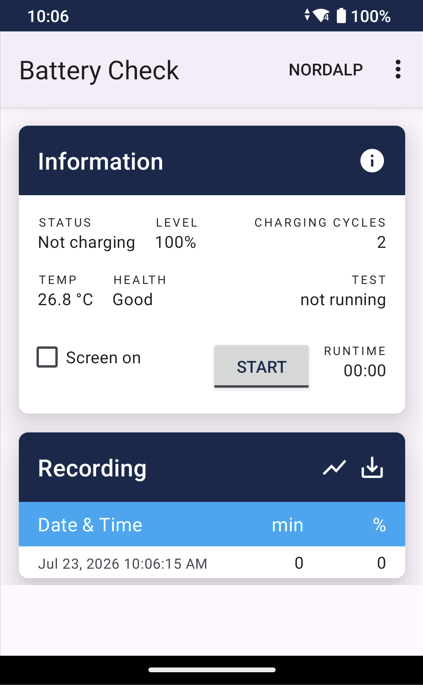
The Battery Check app for Android allows you to check your Nordalp device’s battery life and view useful status information such as charge cycles and temperature.
Start battery life check:
- Disconnect charger from the unit
- Check the box "Screen on". This will keep the display to be turned.
- Press "START"
Additional information:
Every 5 minutes the status will be added in the "Recording" section.
The recorded data will be stored in the unit, even if the unit runs out of battery. The last recorded data will be shown when starting the app again.
The data can be exported to CSV file in folder Download/BatteryCheck using the download button on the right side of "Recording" section.