Vehicle dock solution: Automatic activation and power saving at ignition
Last updated: 2026-06-22
Related products: Algiz RT10, Algiz RT8, X21 Pro, X6 Pro, Software, Tablets, Handhelds
Overview
This solution turns your rugged Nordalp Android device into a permanently installed in-vehicle computer — for navigation, telematics, data capture and more.
It combines three elements:
- A rugged Nordalp Android device (tablet or PDA) — runs your own application.
- The Vehicle Dock — holds the device securely in the cab and provides power and connectivity.
- The Nordalp "Battery Saver" app — a add-on that automatically manages the device's power state based on the vehicle's ignition using battery management functionality.
The device runs your software- > nordalp provides the rugged hardware, the dock, and the software add-on's.
How it works in the vehicle
Description Video
- Installation — The dock is mounted in the vehicle and the device is inserted. The dock holds the device steady and connects it to the vehicle's power supply, so it charges while in use. Your application runs as normal; "Battery Saver" app runs in the background.
- In operation — While the ignition is on, the device is powered and charging, and your application is fully available.
- End of shift — The vehicle is parked and the ignition is switched off (end of day or weekend).
- Automatic standby — When power is cut, "Battery Saver" switches the device to airplane mode and locks the screen to conserve the battery overnight or over the weekend.
- Automatic wake — When the ignition returns, airplane mode turns off and the screen turns on. The device is ready instantly, with the battery preserved.
Battery Saver app
The Battery Saver app is a Nordalp add-on that automatically manages the device's power state based on whether the device is receiving power (vehicle ignition on/off).
| Power supply | Action |
|---|---|
| OFF | Airplane mode on, screen locked |
| ON | Airplane mode off, screen on |
Configurable delays — the delay between power turning on and airplane mode turning off / the screen unlocking can be configured. Defaults: Airplane mode 0 s (immediate), screen lock 2 s.
Installation
Install via APK (download links at the bottom) or via Nordalp staging code.
Once installed, the service is active immediately and the app can run in the background.
Note: Handheld devices also require the shutdown app, an additional .apk. Nordalp devices do not.
Staging codes
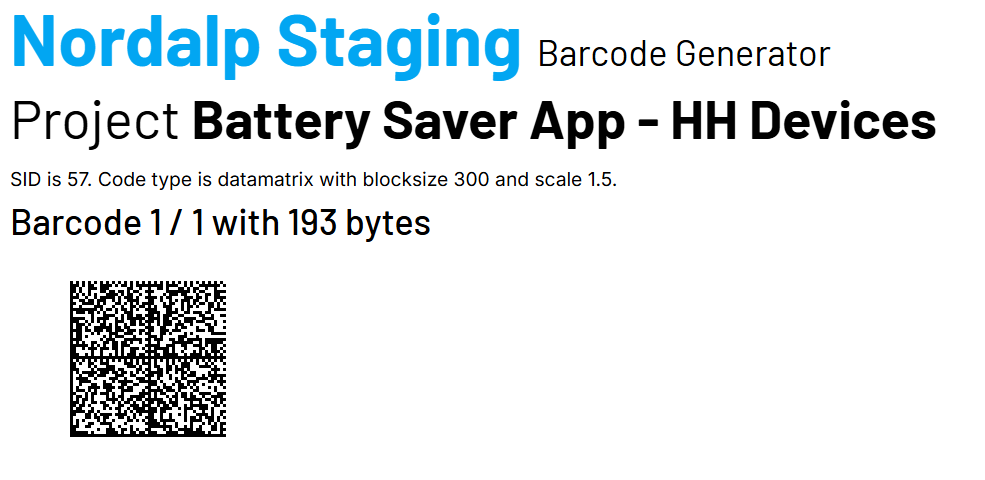
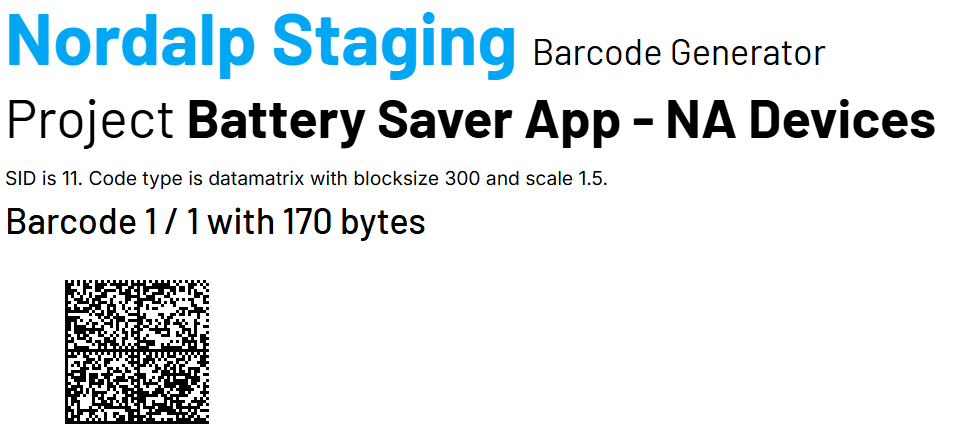
Supported devices (Android)
| Device | Type | Product page |
|---|---|---|
| Algiz RT8 | 8" rugged tablet | algiz-rt8 |
| Algiz RT10 | 10" rugged tablet | algiz-rt10 |
| X21 Pro | Rugged PDA | x21-pro |
| X6 Pro | Rugged PDA | x6-pro |