GNSS: Using Windows Location API for GPS
Last updated: 2026-07-22
Related products: GNSS & RTK, Algiz 8X, Algiz 10Xv3
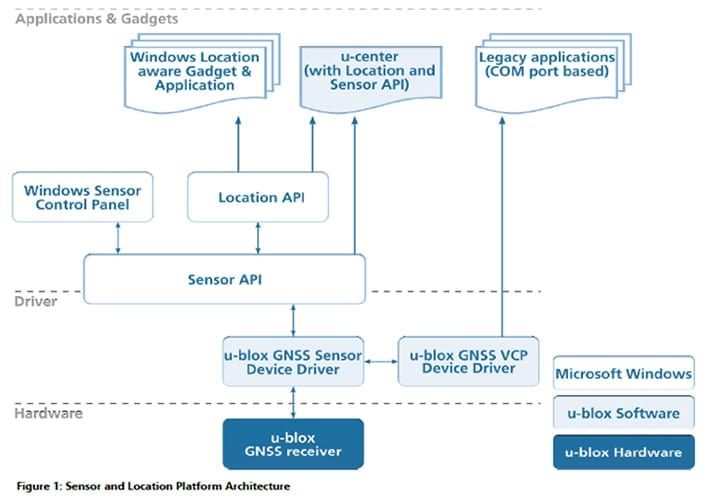
If you want to use the integrated Location API to detect GPS data, you have to follow some steps.
Preparation
- Install “u-blox GNSS Sensor Device Driver”
- Restart the tablet.
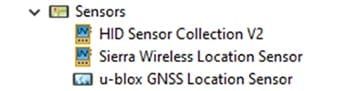
- Have a look into the device manager and make sure “u-blox GNSS Location Sensor” is available under point “Sensors”.
Testing
- Install the Location API Demo Test Program.
- In u-center, open port “u-blox GNSS Location Sensor” under Receiver / Sensor API.Parallel, open the “Location API Tool” app and click Start.
- Wait until valid coordinates with 2D or 3D fix are displayed in the u-center.
- Then switch to the app “Location API Tool” and check the received data.